Proof of every job.
Techs attach before and after photos and add notes to the job from the app. The office sees exactly what was done, and you have a record if a customer ever has a question.
Job Photos & Notes in three steps.
Before photos
Snap the job as you found it.
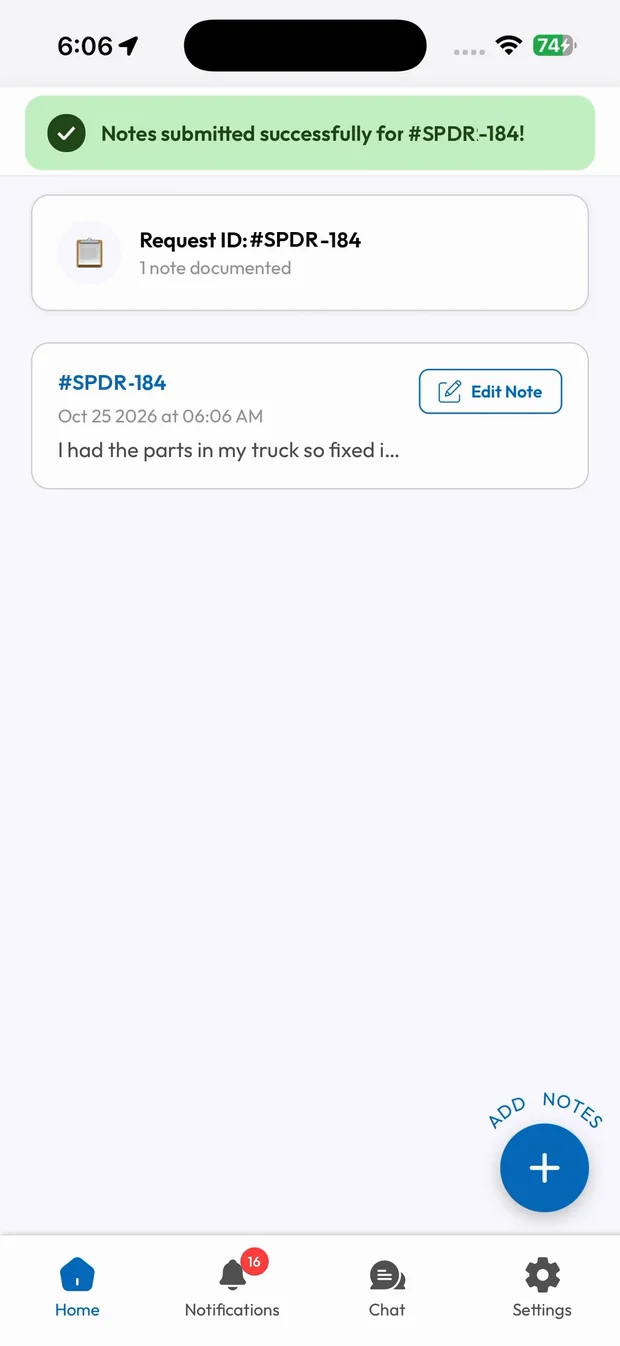
Notes as you work
Add what you found and what you did.
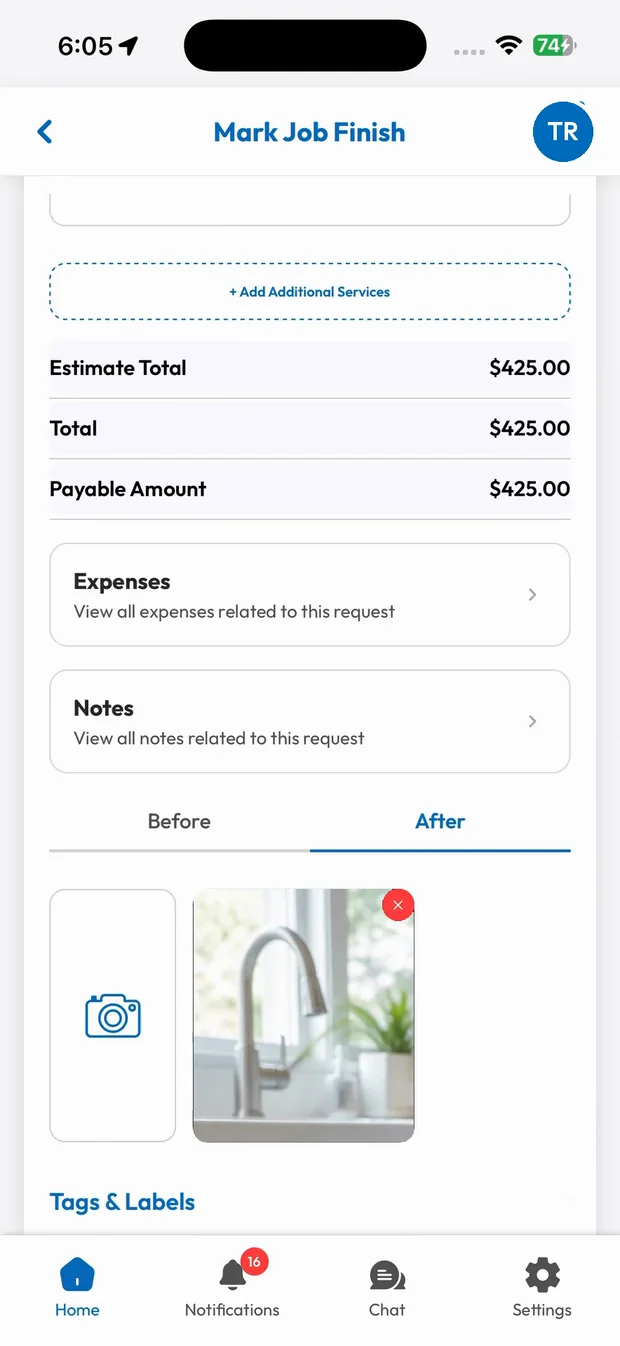
After photos
Show the finished work, saved on the job.
Photos on every job
Switch between Before and After and attach photos straight from the camera. They're saved on the job for the office to see.
- Before and after tabs
- Straight from the camera
- Saved on the job
Notes that tell the story
Techs add notes with images as they work, and private notes from the office show up on the job before the tech arrives.
- Notes with images
- Private notes from the office
- Time-stamped history
What you get with Job Photos & Notes.
Before and after
Photos saved on the job, side by side.
Notes with images
Add notes and attach images to any job.
Office stays informed
See what happened on site without a phone call.
Protection for you
A record of the work if a question ever comes up.
Trades that rely on Job Photos & Notes
Related features
Employee Mobile App
Jobs, navigation, pricing, chat and payments in your crew's pocket.
Learn moreLive Job Tracking
On the way, arrived, started, finished. Everyone knows where the job stands.
Learn moreExtra Work Approvals
Add services on site and get the customer's signature before you start.
Learn moreRun your business the easy way.
Start your 15-day free trial or book a free demo. We'll set SmartTrack up with you, step by step.