Get paid before you leave the driveway.
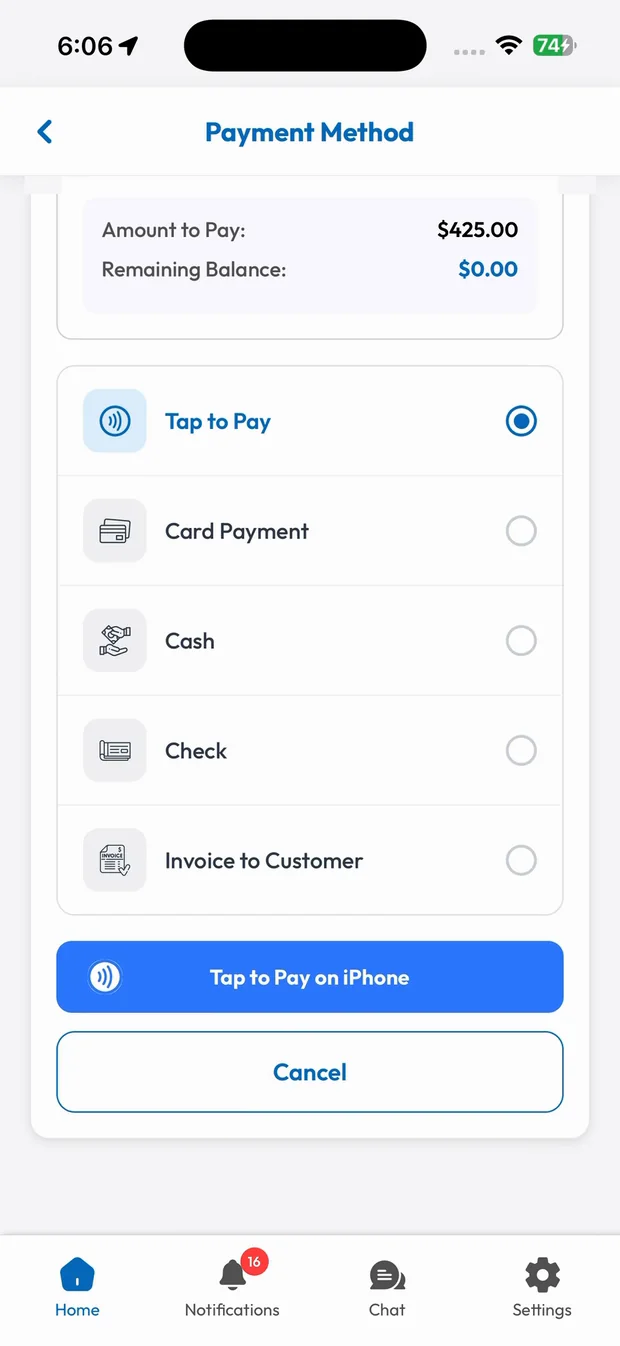
Your tech takes payment right in the SmartTrack app. Tap to Pay on iPhone turns the phone into the card reader, so there's no extra hardware and no banking app to open. Or send an invoice with a payment link.
Invoices & Payments in three steps.
Finish the job
The tech marks the job finished and the total is ready.
Choose how to pay
Tap to Pay, card, cash, check or invoice to customer.
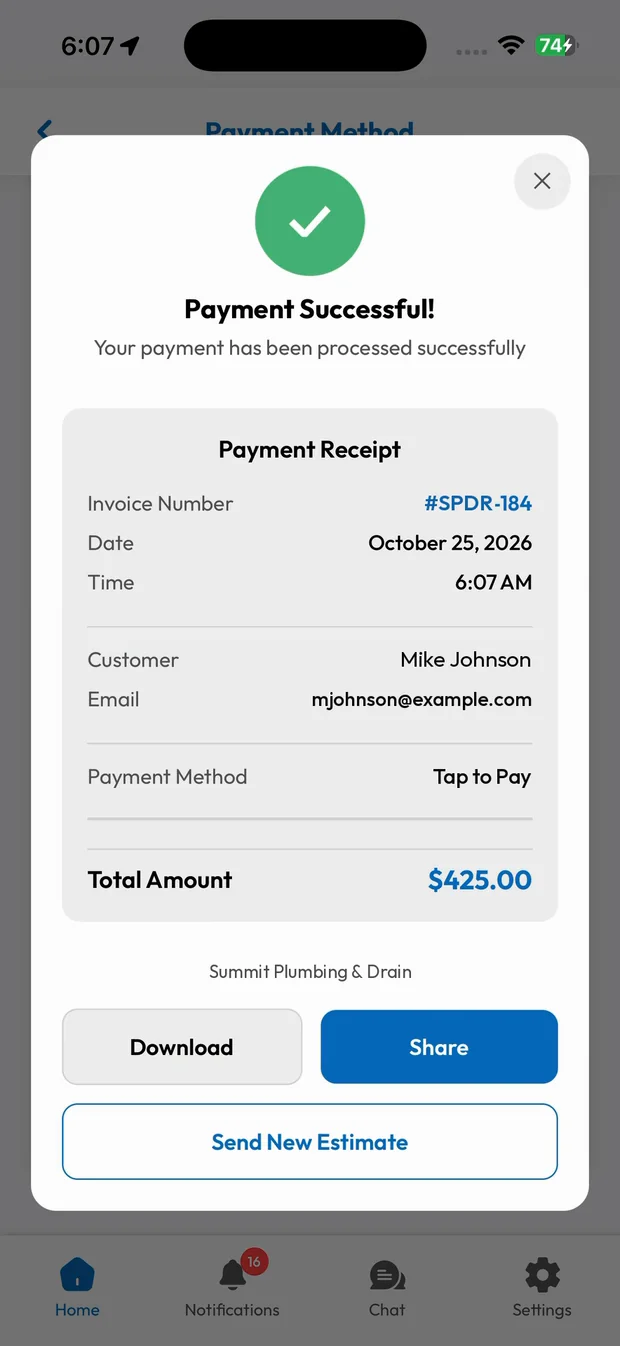
Receipt sent
Payment is recorded instantly and the receipt is ready to share.
The phone is the card reader
Select Tap to Pay, the customer holds their card or phone near the top of the iPhone, and the payment goes through. No dongle to charge, pair or forget in the truck.
- Contactless cards and digital wallets
- Works inside the SmartTrack employee app
- No extra hardware
A receipt the customer can trust
Every payment creates a receipt with the invoice number, date, customer and payment method, ready to download or share.
- Branded with your business name
- Download or share instantly
- Payment logged on the job
What you get with Invoices & Payments.
Tap to Pay on iPhone
Accept contactless cards and digital wallets on your tech's phone. No card reader needed.
Every way to pay
Card, cash, check or invoice. Every payment is recorded against the job.
Invoices with payment links
Send a clean invoice with taxes, totals and a link to pay online.
Know what's outstanding
See paid, unpaid and overdue jobs at a glance, with reminders so you stop chasing.
Trades that rely on Invoices & Payments
Related features
Deposits & Progress Payments
Collect a deposit before the job starts and get paid throughout big jobs.
Learn moreEstimates & Proposals
Build a professional estimate in under a minute and get it signed on the spot.
Learn moreEmployee Mobile App
Jobs, navigation, pricing, chat and payments in your crew's pocket.
Learn moreRun your business the easy way.
Start your 15-day free trial or book a free demo. We'll set SmartTrack up with you, step by step.