Extra work, signed before you start.
When a customer asks for more, your tech adds it from the price book, sends the updated estimate and the customer signs to approve on the spot. You get notified the moment it's approved.
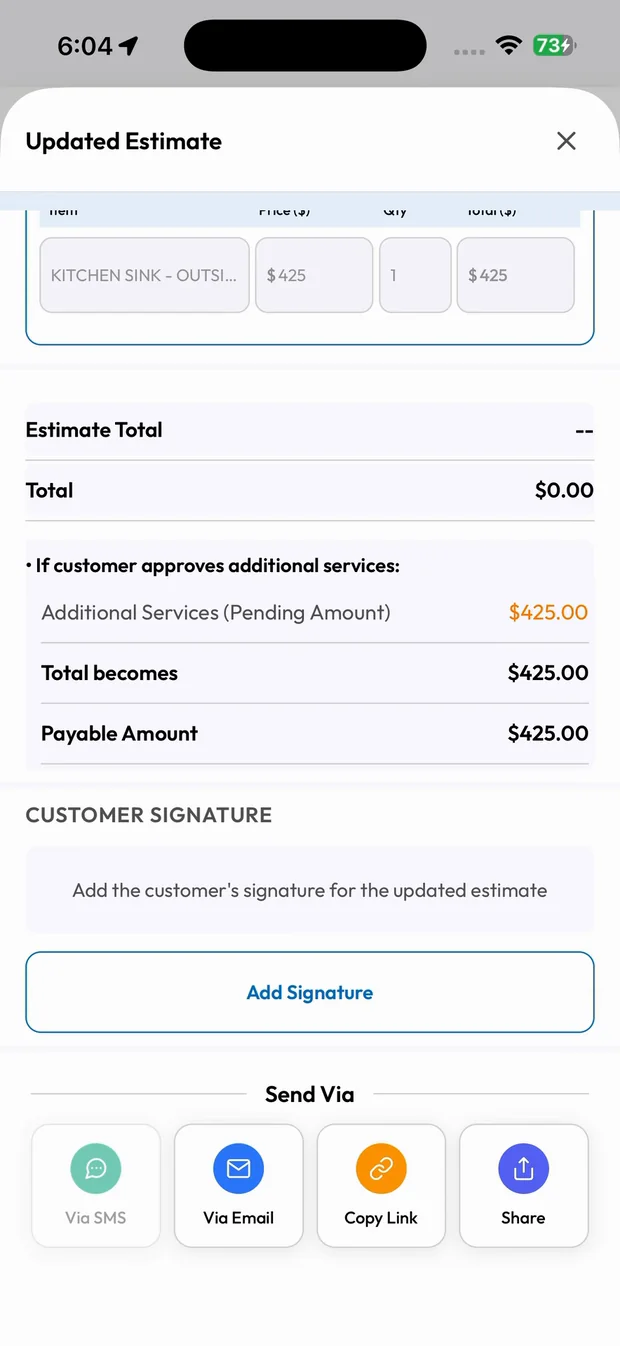
Extra Work Approvals in three steps.
Customer asks for more
Your tech opens the job and taps Add Additional Services.
Price it from the price book
Search, add, and the updated estimate is ready.
Customer signs
They sign to approve, and the office is notified.
Add it from the price book
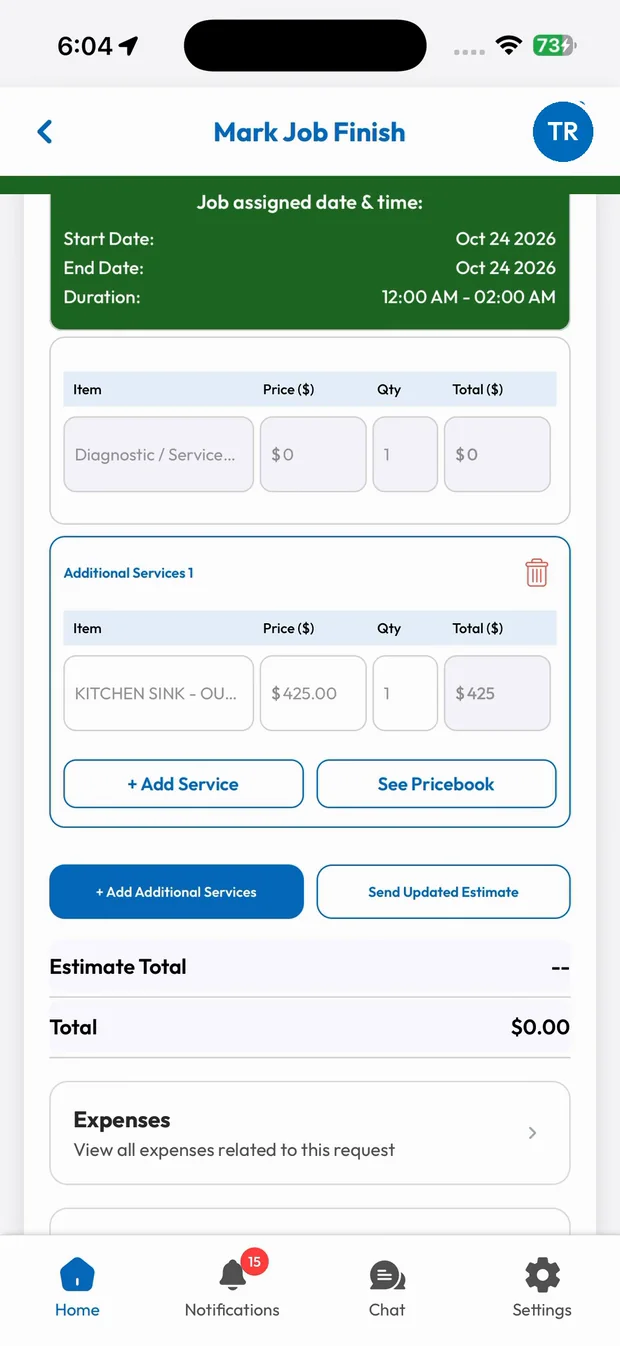
Tap Add Additional Services, search the price book and add the work. The updated estimate shows the original job, the additional services and the new total.
- Additional services on the same job
- Approved prices only
- New total calculated
Approved on the spot
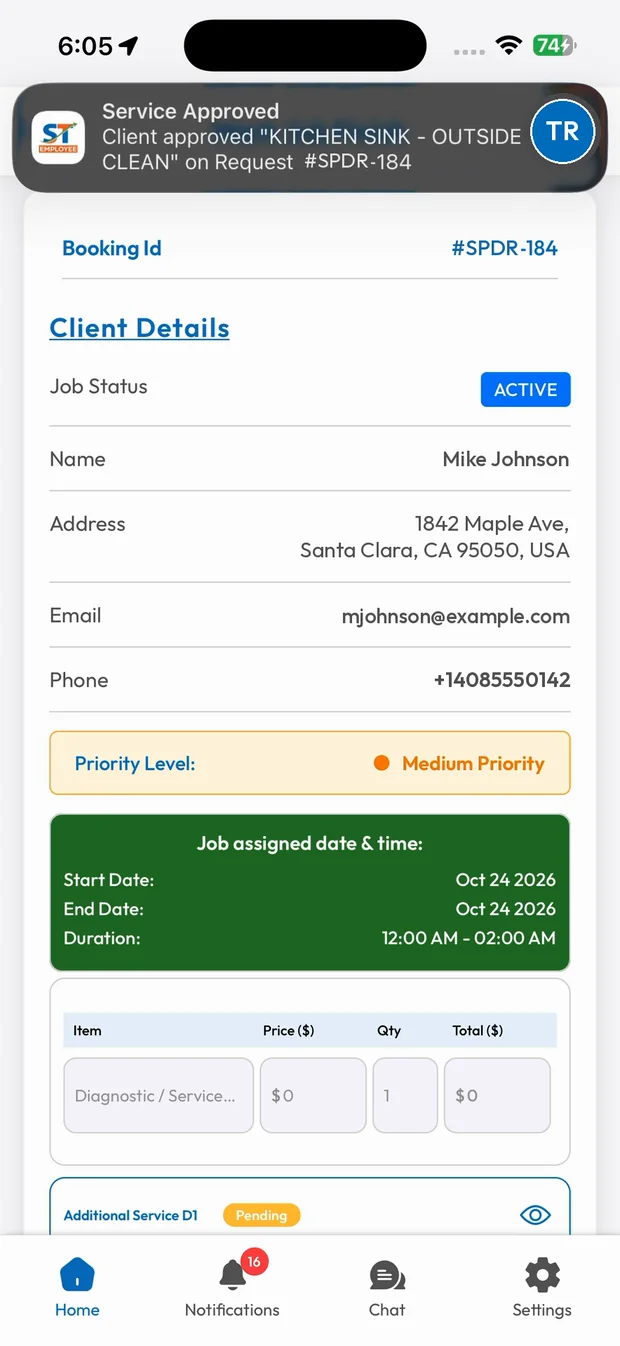
The customer signs on the screen or approves from the link. Your office gets a "Service Approved" notification and the work continues.
- Customer signature
- Send via SMS, email or link
- Service Approved notification
What you get with Extra Work Approvals.
No more unpaid extras
Every add-on is priced and approved before the work is done.
Signed approval
The customer's signature is saved with the updated estimate.
Instant notification
The office sees "Service Approved" the moment the customer signs.
No disputes
A clear record of what was added, for how much, and who approved it.
Trades that rely on Extra Work Approvals
Related features
Run your business the easy way.
Start your 15-day free trial or book a free demo. We'll set SmartTrack up with you, step by step.