Estimates that close themselves.
Pick services straight from your price book, add charges and taxes, and send a clean estimate your customer can approve and sign. No retyping prices, no paper, no chasing.
Estimates & Proposals in three steps.
Pick the customer
Search your customer list or add a new one with their address.
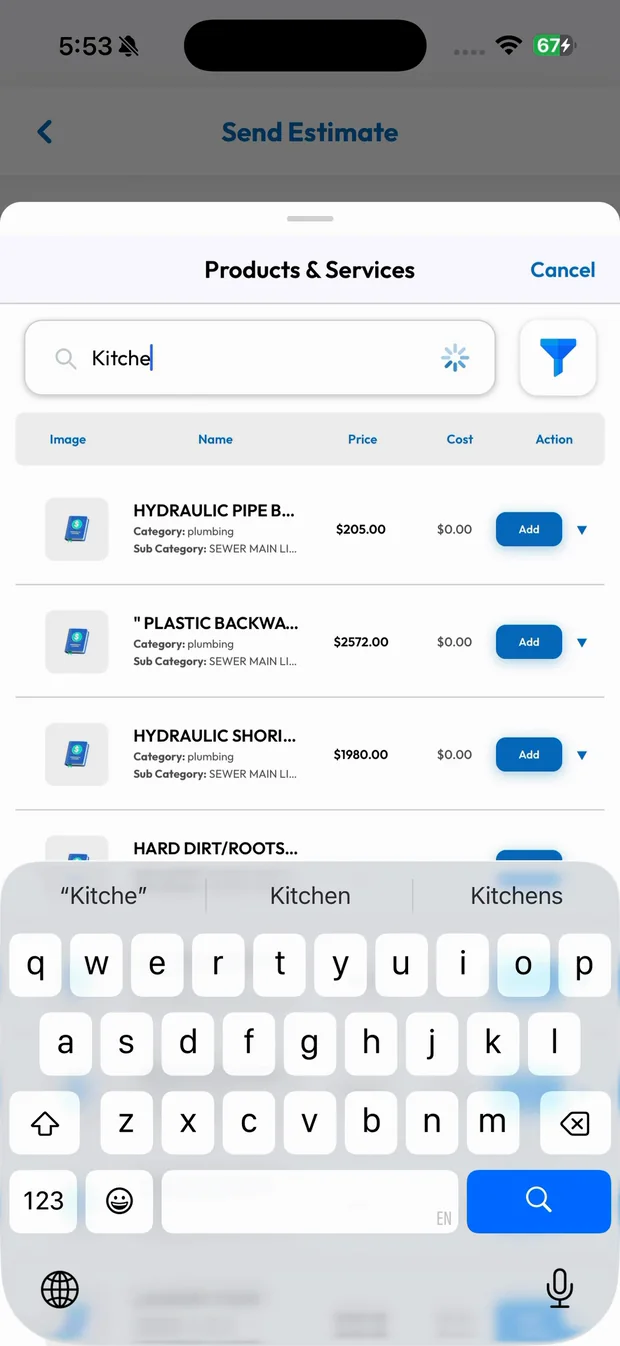
Add services from the price book
Search, tap Add, and the price, quantity and total fill in for you.
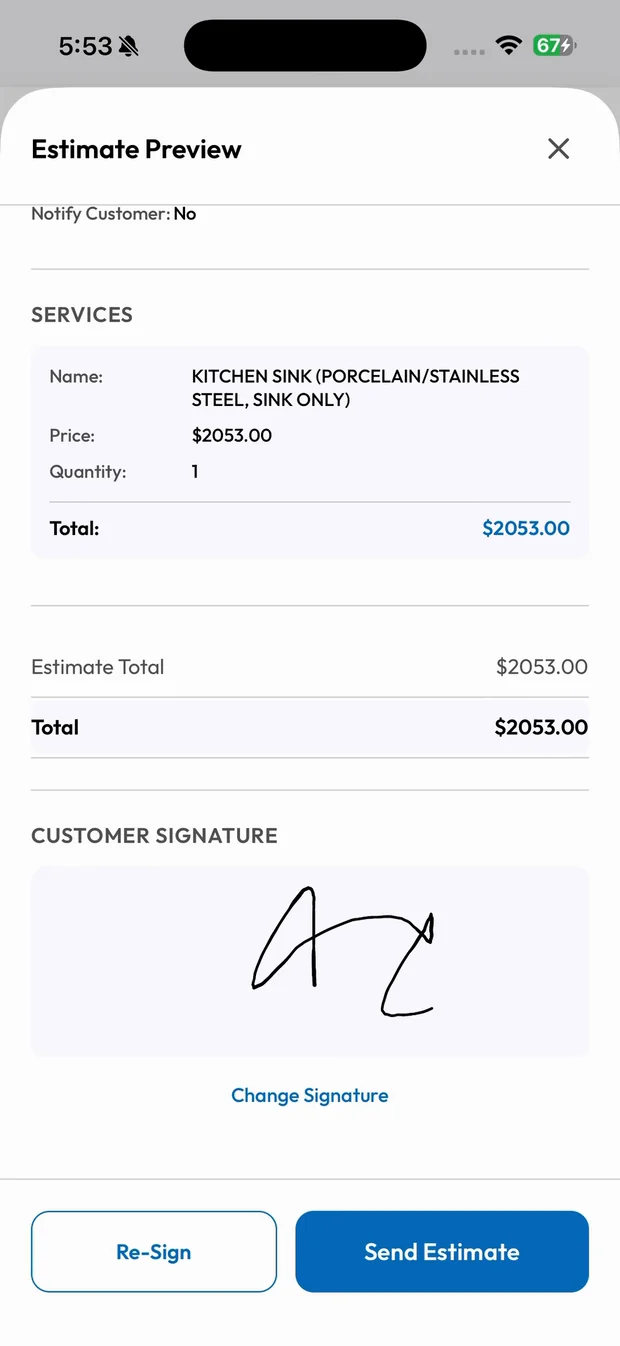
Sign and send
The customer signs on the phone, and the estimate is sent by text, email or link.
From call to estimate in minutes
Choose the customer, search your price book, tap Add and the line items, quantities and totals are filled in. Add taxes or charges and preview the estimate exactly as your customer will see it.
- Customer, location and services in one screen
- Taxes and charges applied automatically
- Preview before you send
Approval without the back and forth
Your customer signs on the phone or approves from the link you send. You get notified, and the job is ready to schedule.
- Customer signature saved with the estimate
- Send via SMS, email, link or share
- Notified the moment it's approved
What you get with Estimates & Proposals.
Priced from your price book
Every tech quotes the same prices, so there are no surprises and no underquoting.
Signed on site
Customers sign right on the screen. The signature is saved with the estimate.
Deposits built in
Require a deposit before the customer can accept, or split big jobs into progress payments.
Converts to an invoice
Once the work is done, the approved estimate becomes the invoice. Nothing to retype.
Trades that rely on Estimates & Proposals
Related features
Price Book
One catalog of services and products, with the same prices for everyone.
Learn moreDeposits & Progress Payments
Collect a deposit before the job starts and get paid throughout big jobs.
Learn moreInvoices & Payments
Get paid on the spot with Tap to Pay, card, cash, check or invoice.
Learn moreRun your business the easy way.
Start your 15-day free trial or book a free demo. We'll set SmartTrack up with you, step by step.